CASESTUDY
SUMMARY
Enhance the flow Quick Zap in order to provide better information and insights about their position to customer.
MY ROLE
Product Design, UX, UI, User Research
TIMELINE
2 weeks
BACKGROUND
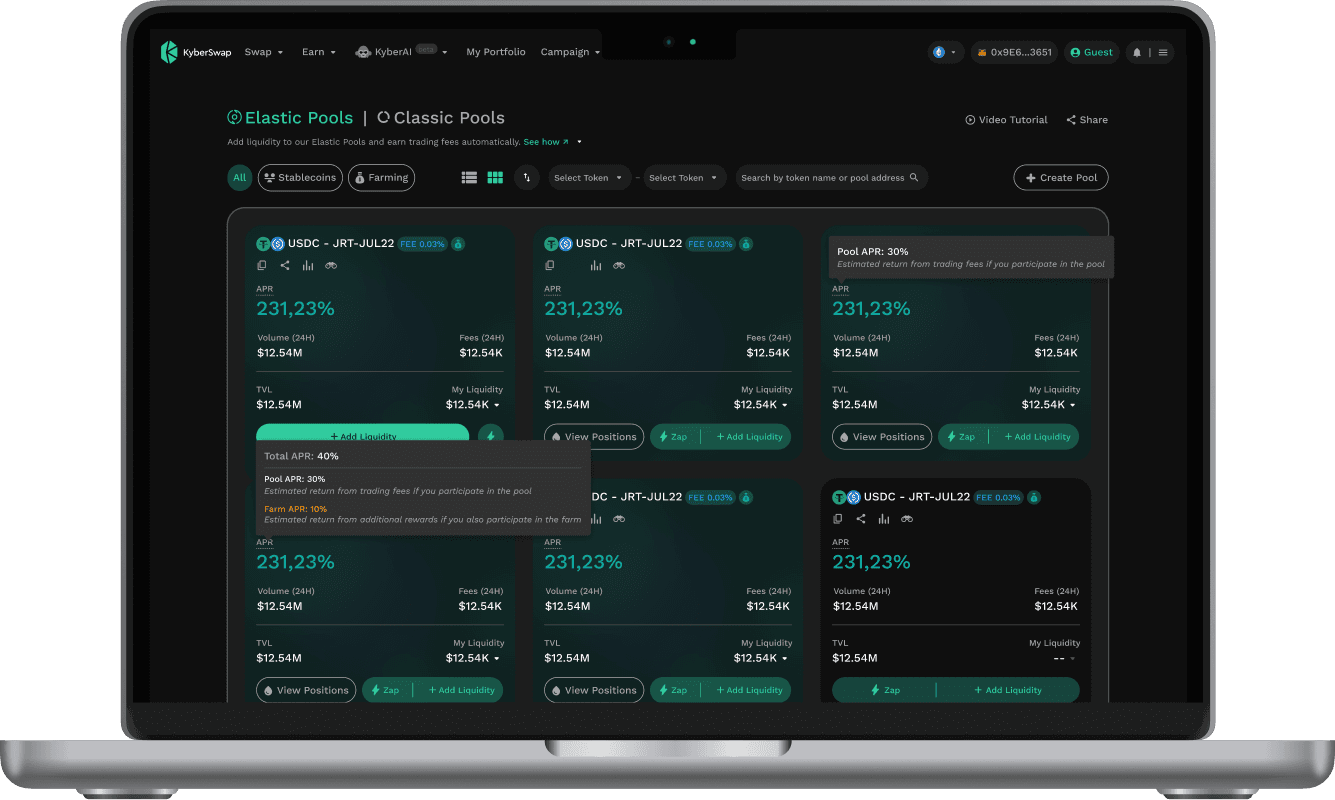
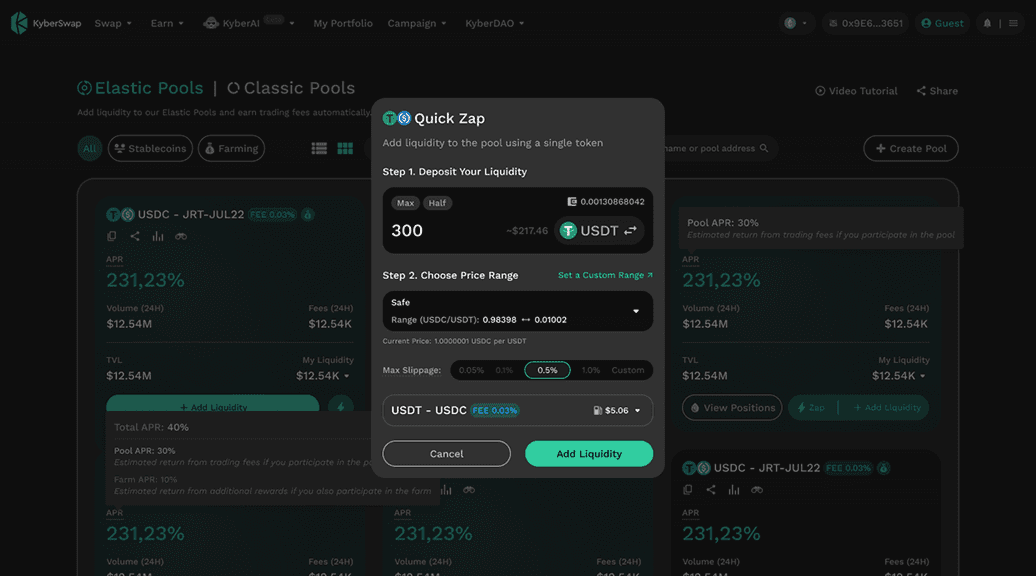
Zap is our latest feature that allows users to contribute liquidity to the pool using only one token. It involves an improved Quick Zap flow while providing users with the flexibility to adjust their position and still benefit from its quick functionality.
Overview of Current Quick Zap UI
Challenge #1: A helpful, more intuitive and seamless way to adjust user position
PROBLEM
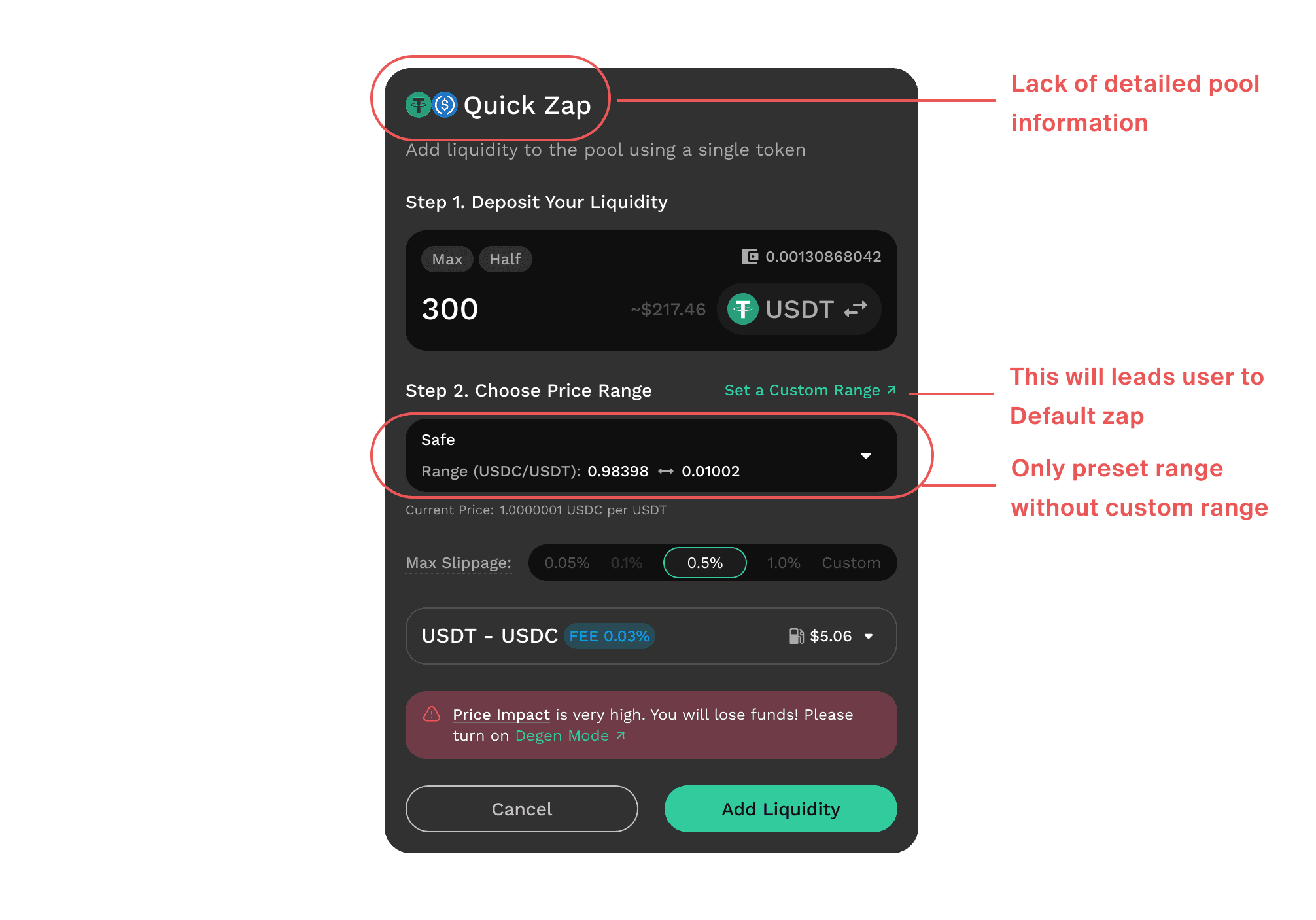
The current UI of Quick Zap lacks the flexibility for users to customize their range. Many interruptions occur during the flow from Zap to Stake, which can be frustrating for users.
HEURISTIC REVIEW OF THE CURRENT DESIGN
Zap is our latest feature that allows users to contribute liquidity to the pool using only one token. It involves an improved Quick Zap flow while providing users with the flexibility to adjust their position and still benefit from its quick functionality.
OBJÉCTIVÉS & GOALS
To allow users to adjust custom prices in Quick Zap
To allow users access to advanced settings in Quick Zap
To allow users to do a quick zap + stake in one flow
SOLUTION #1
To set up the position quickly, we need to have a custom price range.
Upon initial discussion, the PM recommended adding a chart range for users who want to "Set a Custom Range." However, upon further consideration, I explained to him the drawbacks of this solution, namely that it would complicate the UI and negate the benefit of enabling “quick” transactions for users.
PM suggestion: Adding a chart range
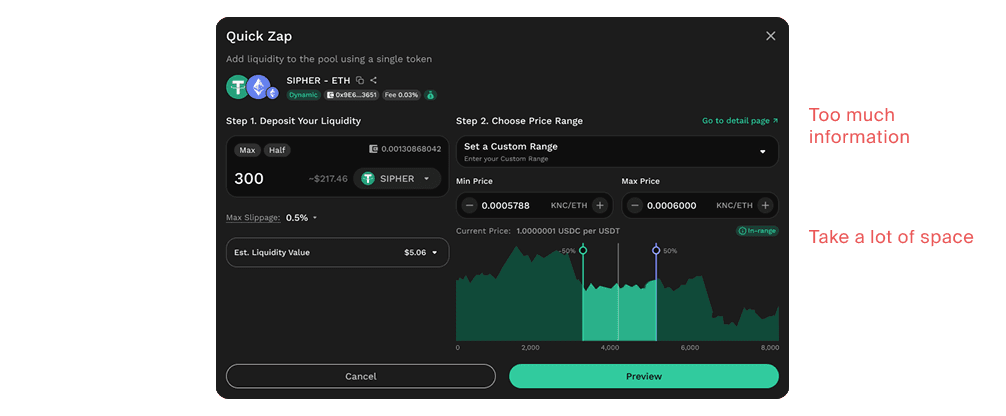
Here is my suggestion:
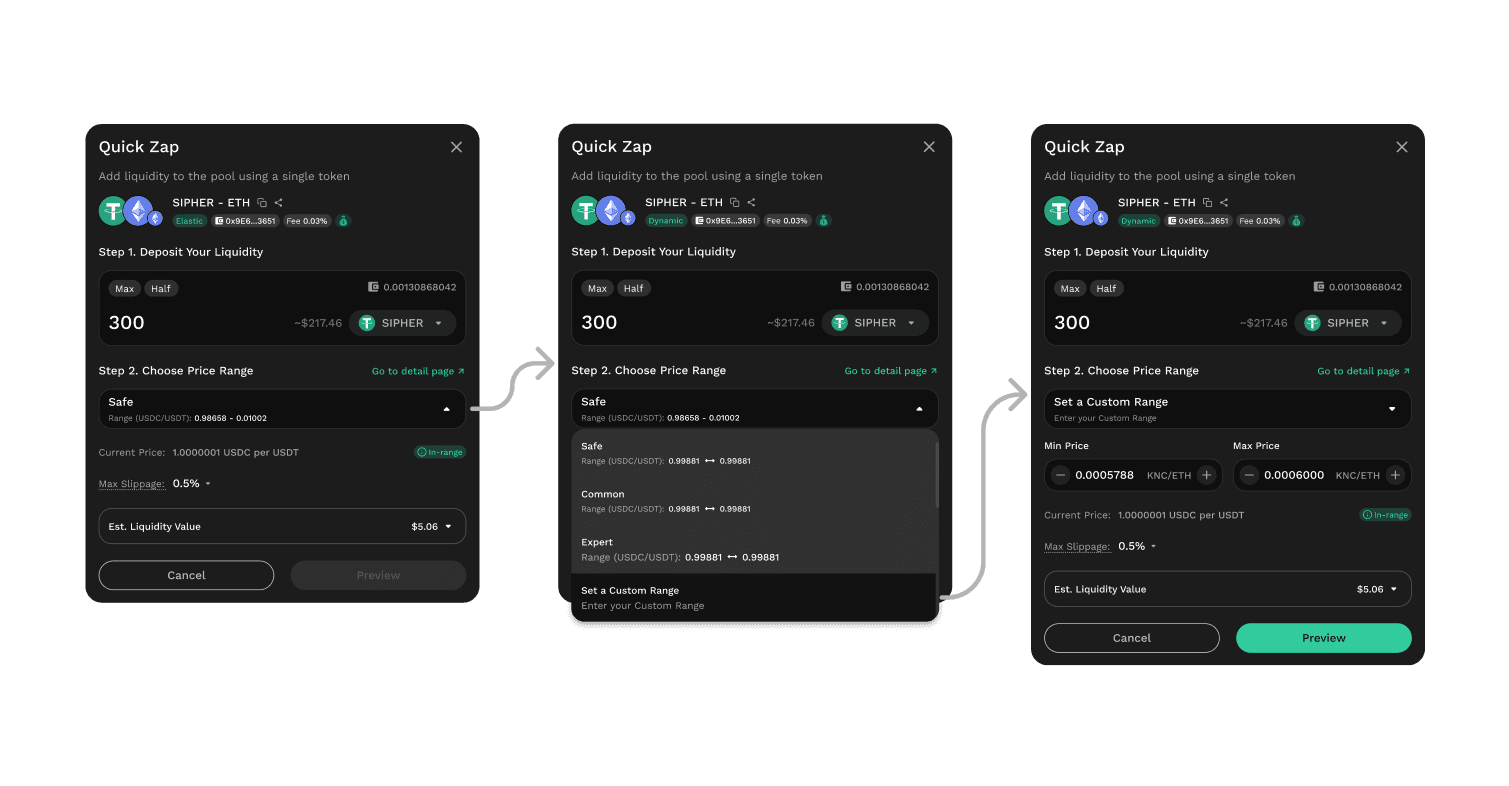
In Step 2, users are presented with the option to "Set a Custom Range". Upon selecting this option, they are prompted to enter the minimum and maximum price amounts.
My solution caters to two types of Zap users. The first type is new users seeking quick and simple benefits from Zap. The second type is experienced users who already have a specific price range in mind and want to use Zap for its quick functionality.
Additionally, users who wish to have even more flexibility with the chart range can click "Go to detail page", which will redirect them to the Default Zap flow.
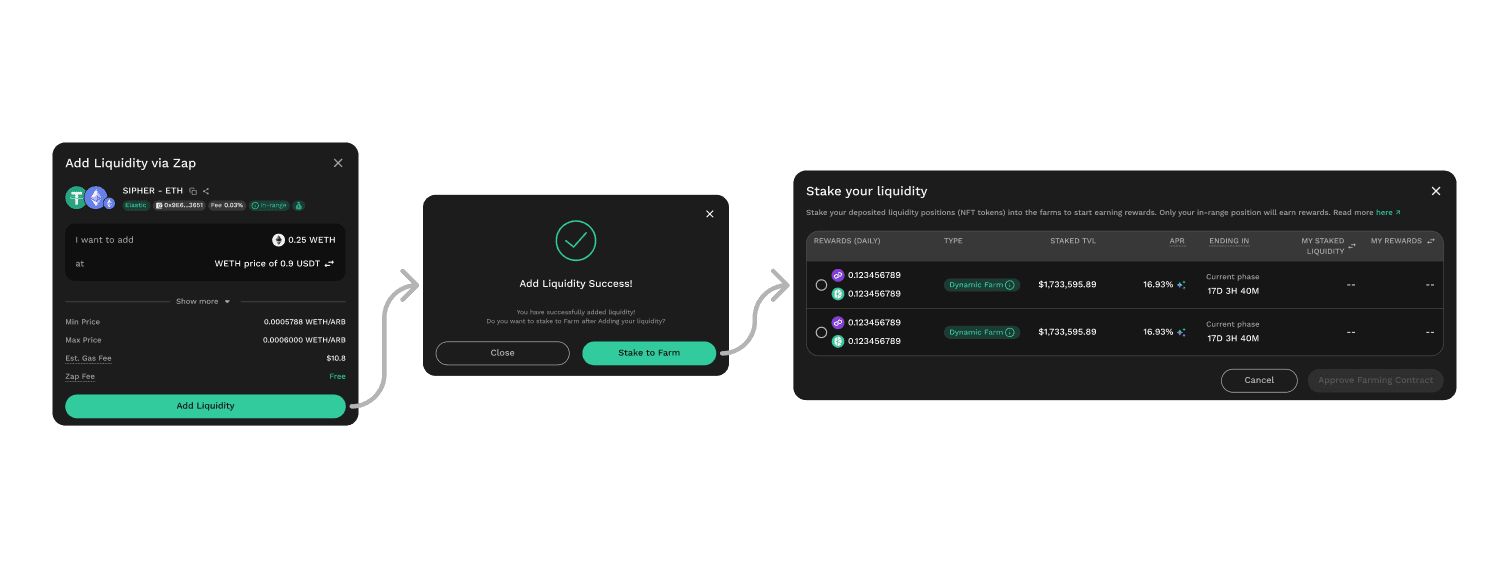
SOLUTION #2
By enabling users to stake right after a Quick Zap, the Adding Liquidity process becomes more efficient and convenient.
Challenge #2: Clarifying Zap's efficiency for the user.
PROBLEM
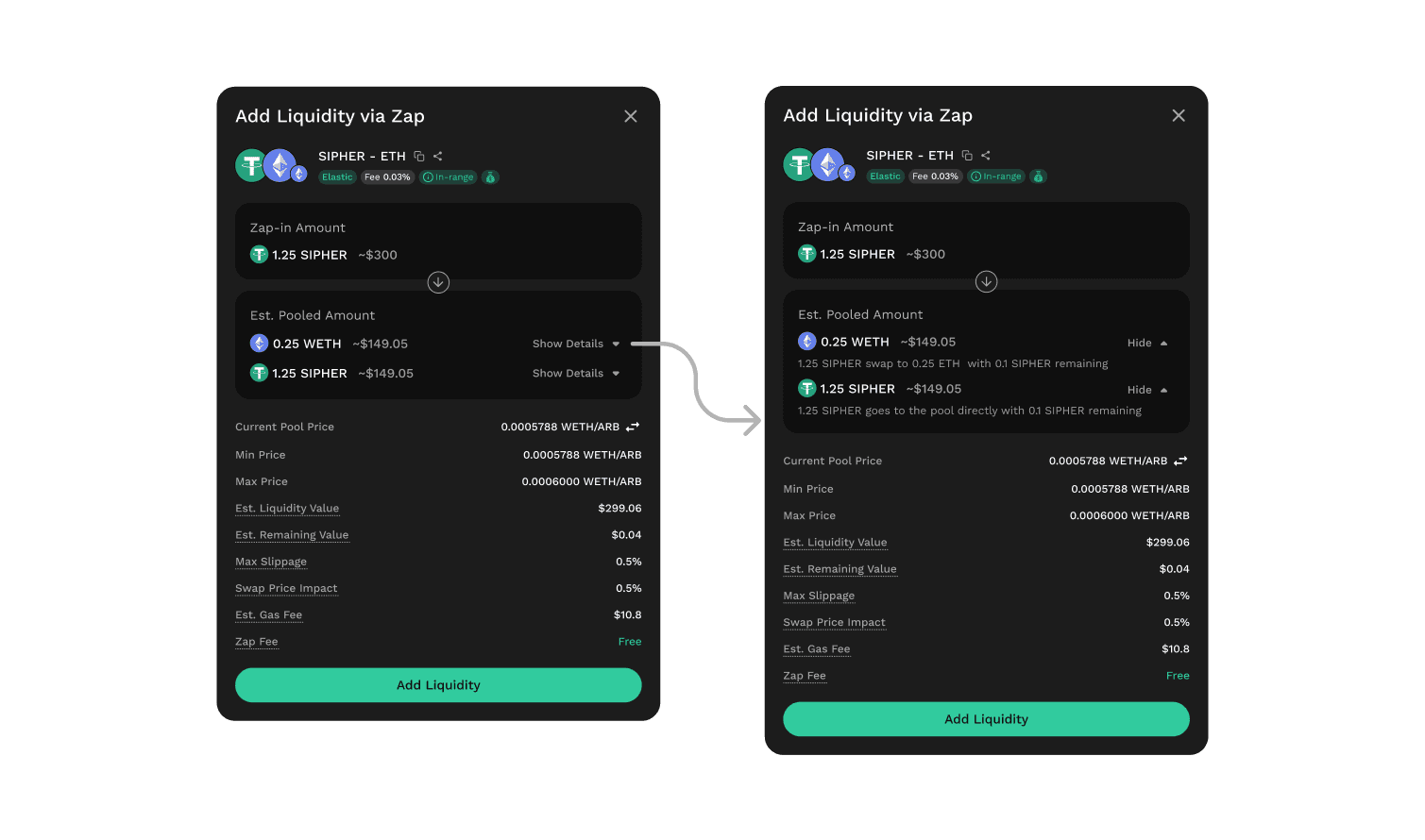
Another issue with the current Zap is that users are unaware of the amount of token A that will be swapped into token B and the efficiency of the amount being used for the Zap.
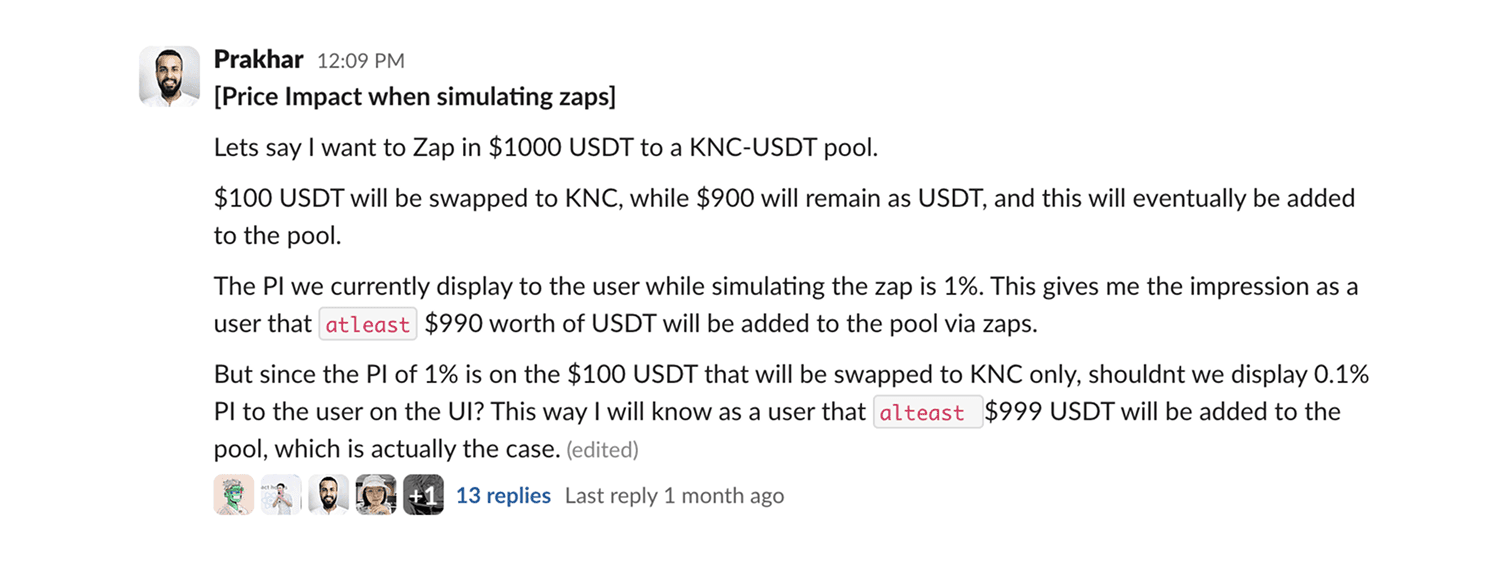
OBJECTIVES & GOALS
To allow users to see the efficiency of the amount that is being used for Zap
SOLUTION
By showing Zap route, user can see the remaining amount of their liquidity if the liquidity is not 100% fully used in the review popup
THE RESULT
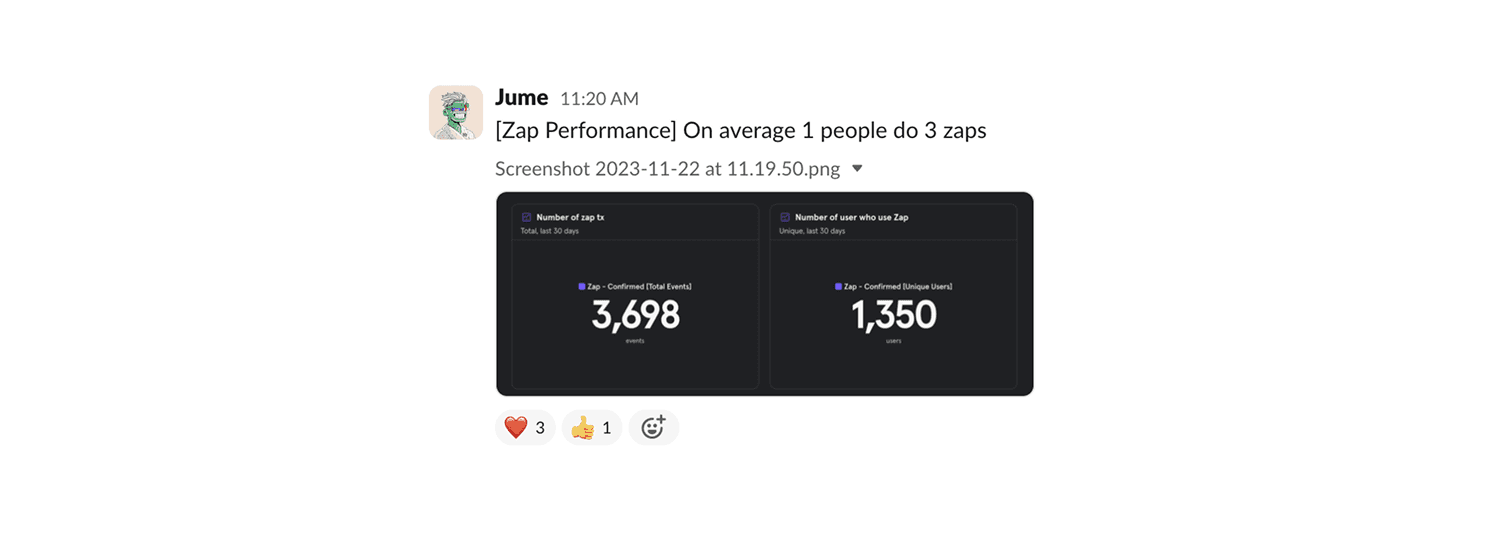
Frequency of users using Zap